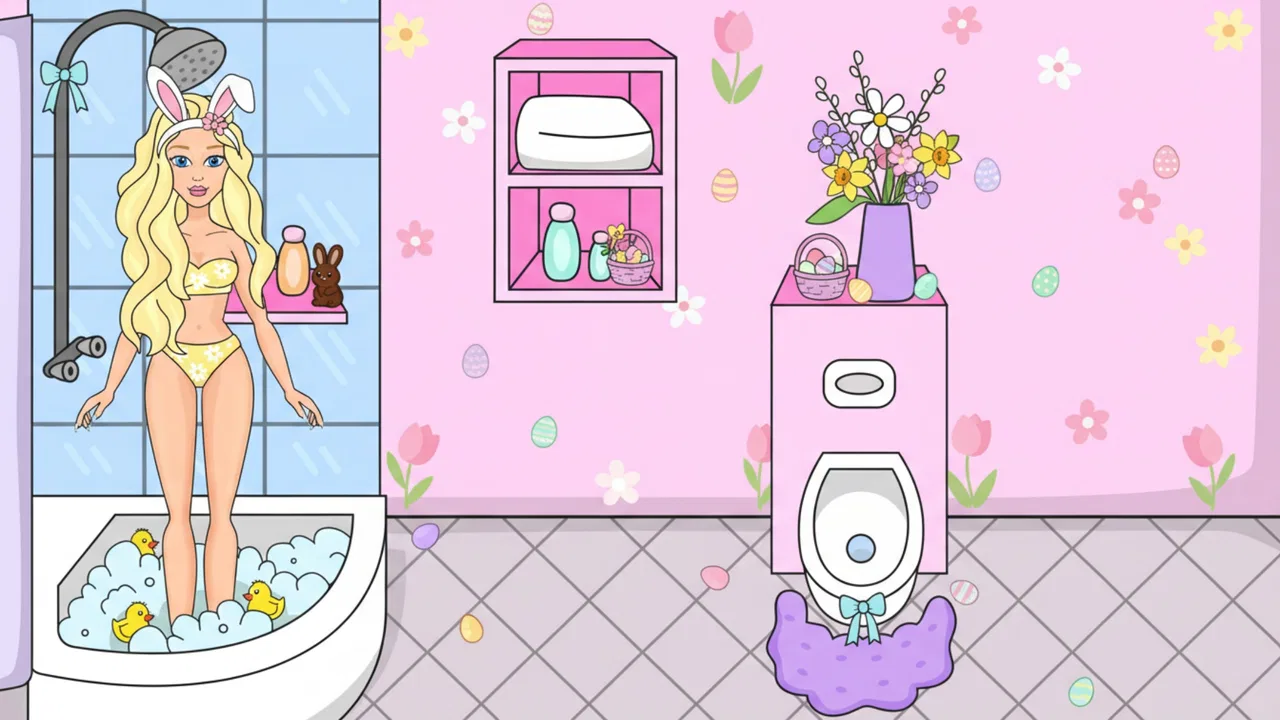
DIY Paper Doll
- 4.5
- Rating
- 50.00M
- Installs
- Free
- Price

 Analysis by App-foxy
I spent time with DIY Paper Doll as a light fashion-and-creation game, and its appeal is easy to understand: it turns outfit selection into a small paper-doll activity where I can build a look, decorate a character, and treat each result like a page from a personal style diary. It is made by CrazyLabs LTD, available as a free game, and aimed at Everyone, so it is approachable for children, casual players, and anyone who enjoys visual customization without needing to learn complicated controls.
What surprised me most is how little commitment each session requires. I can open it when I have a few spare minutes, make a quick outfit, and stop without feeling that I have abandoned a long campaign. That makes it a very different experience from a deeper life simulator or a strategy game. It is closer to a creative break: choose, arrange, adjust, and enjoy the finished appearance.
How the paper-doll format feels in everyday play
The central activity is styling. I work with the paper-doll idea by putting together clothing and visual details, then shaping the character’s appearance around a particular mood or theme. The enjoyment comes less from winning a difficult challenge and more from making choices that feel coherent. A soft color combination can make the character look completely different from an outfit built around bold contrasts.
You May Also Like

 Pandora - Music & Podcasts
Pandora’s Music Is Easy to Start, but Harder to Recover
Pandora’s strength is its low-effort path from a seed to a station. Its weak spot is how much confidence it asks you to place in connection, setup, and quiet recovery.

 AccuWeather: Weather Radar
AccuWeather Review: A Quick, Clear Forecast for Everyday Decisions
For everyday plans, the best forecast is the one you can understand quickly. AccuWeather makes rain timing, radar, and local conditions easy to act on, with a few trade-offs.

 Hill Climb Racing
Why Hill Climb Racing Still Turns Crashes Into One More Run
A tiny car, a bumpy hill and one more upgrade: Hill Climb Racing keeps resurfacing because its simple chaos makes every near-miss feel personal.

 AliExpress - Shopping App
AliExpress Makes Global Shopping Feel Personal, but Shoppers Bear the Risk
AliExpress turns a global marketplace into a pocket-sized discovery engine. Its reach is useful, its shopping loop compelling, and its trade-offs easy to miss.

 Lords Mobile: Kingdom Wars
Lords Mobile Is a Kingdom-Building Routine, Not a Quick Match
A case-by-case verdict on the building, battles, device demands, and social commitments that make Lords Mobile rewarding for some players and exhausting for others.

 PDF Scanner app - TapScanner
TapScanner Makes Paperwork Easier to Capture, Check, and Share
TapScanner makes scanning with a phone feel less like a rescue operation and more like a dependable step in getting work done. Its capture tools are useful, though not flawless.
More From Our News Desk
View All News


That simplicity is also the reason the game is easy to recommend to a younger player. The basic idea is immediately readable, and the Everyone content rating reinforces that broad accessibility. I do not need to explain a complicated economy or teach a set of tactical rules before someone can start experimenting with outfits.
For me, the strongest use case is a short creative pause. Imagine waiting for an appointment or taking a break between tasks: I can create one look, compare a few clothing combinations, and put the phone away. It does not demand the same attention as a competitive game, and it works well when I want something visual rather than mentally intense.
The diary concept gives the activity a little more personality than a plain dress-up screen. Instead of treating every outfit as a disposable selection, I can think of each one as part of an ongoing collection of ideas. That mindset encourages experimentation. I am more willing to try an unusual combination when the goal is personal expression rather than satisfying a strict score.
Why the first few sessions feel quick
The game’s presentation is built around immediate visual feedback. When I change an item, the result is visible right away, so I do not spend much time waiting to understand whether a choice worked. This keeps the opening sessions brisk and makes it suitable for players who dislike long tutorials or slow introductions.
Perceived speed matters here because the activity itself is made of many small decisions. If every change required a pause, styling would become irritating. In normal short sessions, the format feels responsive enough for browsing ideas and moving from one look to another without losing the creative rhythm.
There is a useful distinction between fast access and deep progression. The game is quick to pick up, but that does not mean it offers the layered systems of a full fashion-management simulation. Players who want detailed garment design, realistic styling rules, or a large strategic layer may find the experience intentionally light. I see that as a design trade-off rather than a defect.
A practical tip is to begin with a simple visual goal instead of tapping through everything at random. I might decide on a bright, formal, relaxed, or playful direction first, then select pieces that support it. This makes the session feel more creative and reduces the sense of merely cycling through options.
What happens during heavier use
Longer sessions change the experience. A quick outfit can be satisfying, but repeated styling eventually makes the available variety more important than the controls. If I keep playing for an extended period, I start judging the game by how many fresh combinations I can create and how distinct those combinations feel, not just by how quickly I can dress the character.
This is where the paper-doll structure can feel both relaxing and limited. It supports casual experimentation very well, yet it does not automatically provide the depth of a role-playing game, a detailed avatar creator, or a fashion title focused on competition. Someone who wants a constant stream of complex goals may run out of reasons to continue sooner than someone who enjoys collecting visual ideas.
Heavy use also makes interruptions more noticeable. In a short session, a brief pause or a need to revisit a choice may be easy to tolerate. After many consecutive outfit changes, the same friction feels more tiring. My advice is to treat it as a game for focused bursts rather than expecting it to replace a main long-session title.
Another useful approach is to create personal themes. I can make a look for a particular season, a fictional occasion, or a color palette, then move to a completely different style. This gives repeated sessions a purpose and makes the diary idea more rewarding. It also helps avoid the common problem of selecting items without remembering why a combination appealed to me.
Stability and recovering from an interruption
For a game built around small creative actions, reliability is mainly about preserving the feeling of control. I want selections to register clearly, transitions to remain understandable, and a return to the game to feel uncomplicated. In my use, the lightweight structure supports that kind of casual interaction better than a demanding simulation would.
Still, I would not treat any mobile game as a place to assume that every unfinished action is permanently protected. If I have made an outfit I particularly like, I prefer to finish the current sequence before switching applications or closing the game. That is a sensible habit for any creative mobile activity, especially when the work is made through a series of small choices rather than one clearly completed level.
Recovery is also easier when I keep expectations realistic. This is not a productivity tool where I would expect a detailed project to survive every interruption, nor is it a competitive match where a dropped session has major consequences. If I am interrupted, I can simply return later and start another styling idea. The low-pressure format makes recovery emotionally easy, even when I have not completed exactly what I intended.
Its broad popularity suggests that the basic experience works for a large audience: it has an average rating of 4.5 from around 250 thousand ratings, and it has passed 50 million installs. Those figures do not tell me whether every player will enjoy the same style of play, but they do fit my impression that the concept is accessible and easy to understand.
Device expectations and practical limits
The game supports devices running Android 7.0 or later, which makes it available to people using older Android hardware as well as newer phones. That compatibility is useful, but it should not be confused with a promise that every device will feel identical. Older phones may handle visual transitions less smoothly than recent models, particularly during extended play or when the device is already busy with other applications.
From a resource perspective, I would place it closer to a casual visual game than to a technically demanding 3D simulator. The paper-doll presentation does not create the same expectations as a large open world, a physics-heavy title, or a high-end multiplayer game. Even so, keeping other demanding applications closed can help preserve responsiveness on modest hardware.
Battery and storage decisions are personal, but the game’s short-session design makes it easier to manage than a title that encourages hours of continuous play. I can use it for a small creative break rather than leaving it running in the background. If a phone is already close to its limits, I would still check available space and close unused apps before assuming that any mobile game will perform perfectly.
There is also a content consideration for families. The Everyone rating makes the game broadly suitable, but the free-to-play structure means adults may want to discuss purchases with younger players. The listed in-app purchases range from $0.99 to $19.99 per item. That does not make the game unsuitable, yet it is worth setting expectations before handing over a device.
Free access, purchases, and the value question
Being free to download is a major advantage for this type of game. I can try the creative loop without paying before I know whether the paper-doll format suits me. That is especially helpful for parents deciding whether a child will enjoy fashion customization or for casual players who only want occasional entertainment.
The trade-off is that the free experience needs to be judged by how comfortable I am with its available choices and purchase prompts. The in-app purchase range means some optional items can become a meaningful expense if I buy repeatedly. I would approach the game with a clear personal limit rather than making small purchases impulsively whenever I want to refresh an outfit.
This is also where it compares with usual alternatives. A traditional paper doll, drawing app, or offline craft activity gives me more direct control over the creative process and no digital purchase layer, but it lacks the convenience of instant changes on a phone. A deeper avatar game may offer more progression and social motivation, yet it can also demand more time and attention. A fashion-management simulator may provide stronger goals, while this game is better at quick, low-pressure styling.
In other words, I would choose this title for accessibility and immediacy, not for economic strategy or advanced design tools. If I want to sketch clothing from scratch, I need a drawing application. If I want competition, rankings, or a complex story, I should look elsewhere. If I want to make a cute outfit in a few minutes, this format is much more convenient.
Small techniques that make the experience better
One of my favorite ways to use the game is to limit the palette. Choosing two main colors and one accent makes the final outfit look more intentional, even when I am working quickly. This turns a simple selection activity into a small design exercise and helps me notice which items actually complement one another.
I also recommend taking a second look at an outfit after the first impulse has passed. The most noticeable item is not always the piece that improves the entire look. Removing one distracting element can sometimes create a cleaner result than adding another accessory or changing everything at once.
A third useful habit is to separate experimentation from completion. I can first try deliberately strange combinations, then return to build a more balanced outfit. This prevents the game from feeling like a search for one correct answer. It also suits the diary theme, because a personal collection can include both polished looks and playful failures.
For children, the game can become a gentle way to talk about color, matching, and personal taste without turning those ideas into a lesson. For adults, it works as a low-stakes visual distraction. The important point is to use it for expression rather than expecting it to provide the long-term challenge of a conventional progression game.
Who should install it, and who should skip it?
I would recommend it to players who enjoy dress-up games, paper crafts, character customization, and short creative sessions. It is particularly suitable for someone who wants a friendly game that can be understood quickly and played without mastering complex systems. Families should find the age rating reassuring, while still keeping an eye on optional purchases.
I would be more cautious about recommending it to players who need a strong sense of advancement. If your ideal game includes difficult objectives, detailed simulation, strategic resource management, or a story that keeps unfolding, this may feel too simple. The same applies if you dislike free games with optional purchases or prefer a completely offline, hands-on creative activity.
It is also not the best choice for someone searching for a professional fashion tool. The appeal is the playful paper-doll experience, not accurate garment construction or serious wardrobe planning. That distinction matters because the game can be enjoyable precisely when I stop asking it to behave like something more ambitious.
My performance verdict
After using it as both a quick break and a longer styling session, I see DIY Paper Doll as a polished casual simulation with a clear audience. Its perceived speed comes from simple visual decisions and immediate feedback, while its modest format keeps the device demands more approachable than those of a large simulation. The main limitation is not that it is slow or complicated; it is that the same simplicity can reduce long-term depth for experienced players.
The current version is 4.3.4.1, and the game has been available since August 25, 2022. Those details place it as an established mobile title rather than a brand-new experiment. I appreciate that I can try it without an entry fee, but I would manage purchases carefully and avoid expecting endless novelty from a compact dress-up loop.
My final recommendation is straightforward: install it if you want a cheerful styling activity that fits into spare moments and gives you room to play with visual ideas. Keep your expectations focused on creativity, not complex simulation. For me, that clarity is what makes the game work. It is easy to start, forgiving when I only have a few minutes, and enjoyable when I treat each outfit as a small page in a personal fashion diary.
FAQs for DIY Paper Doll
01What is DIY Paper Doll, and how does it work?
DIY Paper Doll is a creative app designed for both Android and iOS that allows users to design and customize their own paper dolls. The app provides a variety of templates, outfits, and accessories that users can mix and match. It also offers a user-friendly interface, making it easy for anyone to create unique designs with just a few taps.
02Is DIY Paper Doll suitable for children?
Yes, DIY Paper Doll is suitable for children and offers a safe environment for them to express their creativity. The app is designed to be kid-friendly, with intuitive controls and no inappropriate content. Parental controls ensure that children can enjoy designing their paper dolls without any concerns.
03Does DIY Paper Doll offer in-app purchases?
DIY Paper Doll does offer in-app purchases. While the app is free to download and offers a selection of free templates and tools, additional premium content such as exclusive outfits and design packs can be purchased. These purchases are optional and enhance the overall experience.
04Can I share my creations from DIY Paper Doll with others?
Yes, DIY Paper Doll allows users to share their creations easily. Once a paper doll is designed, users can save their work and share it via social media platforms or messaging apps. The app supports high-quality exports, ensuring your designs look great when shared with friends or family.
05What are the system requirements for DIY Paper Doll?
DIY Paper Doll requires iOS 11.0 or later for Apple devices and Android 6.0 or later for Android devices. It also requires a minimum of 150 MB of free space for installation. The app is optimized for both smartphones and tablets, providing a smooth experience across different devices.
Pros
- Creative outlet for all ages.
- Wide variety of customization options.
- Simple and intuitive interface.
- Offline play is available.
- Regular updates with new content.
Cons
- Limited free content without purchase.
- Ads can be intrusive at times.
- In-app purchases can add up.
- Not suitable for very young kids.
- Requires occasional internet for updates.

DIY Paper Doll
Gallery